Three years of building no-code software for grassroots political organizations
What is no-code? No-code is primarily a type of software that allows you to create more software, customized for your needs, starting from some common building blocks instead of using programming code. One tool that many of you might know is WordPress: while WP is much older than the label “no-code”, the idea is the same. You have a program, WordPress, to create more software, namely your specific website. It is more than a bunch of options to select, but it doesn't really require coding for most things. More recent tools that can be considered no-code: Notion, N8n, Airtable, Grist, Softr, Zapier, Make, Framer, Appsmith, and so on.
I wrote about the topic of no-code, its political value, and how to adopt it in a grassroots organization. I still feel I haven't really managed to convey both the practical benefits and the liberating, empowering experience of adopting such an approach. In short: yes, it's good, but it's also fun and, I dare to say, cool. For context, I worked as a programmer for many years, so I can build software, web apps, and automations using code. I adopted no-code because it's better in many small-scale, low-requirements scenarios, and not because I lack programming experience.
In this article, I want to write a bit more freely about some of the things I've built, small and big, to inspire other techies to bring no-code to their political orgs, or join new orgs to help build their infrastructure.
How does a no-code project start? Well, the right way is by asking yourself: “Does an existing software work perfectly for my case?” If not, “Is it easier to adapt the organization to the existing tool?”. If not, “Do I really, really, REALLY need to write code to get what I want?”. If not, congratulations, it's time for no-code.
Then it's time to pick your tools: you usually need something to store and edit your data, a tool for automation, and something to present data to an audience, either public or internal. Sometimes all of this can be done in a single tool, sometimes not, depending on the requirements.
I won't go into details about how to pick a stack, because it would take too long. I will give you examples instead.
Volunteer and Contact Management – Lieferando Workers Collective
Problem: Lieferando Workers Collective is a collective of riders working for Lieferando, a German food delivery company. This is the same company which recently ended up on the German TV in connection with the investigation on their sub-contractor Fleetlery. They needed to run for an election for the Works Council in Berlin. The group needed to track workers' contacts to do outreach, phone banking, and involve them as volunteers. They had a jungle of Excel files, but also a lot of experience in running an election. They know they can win, but they need to bring the workers to vote.
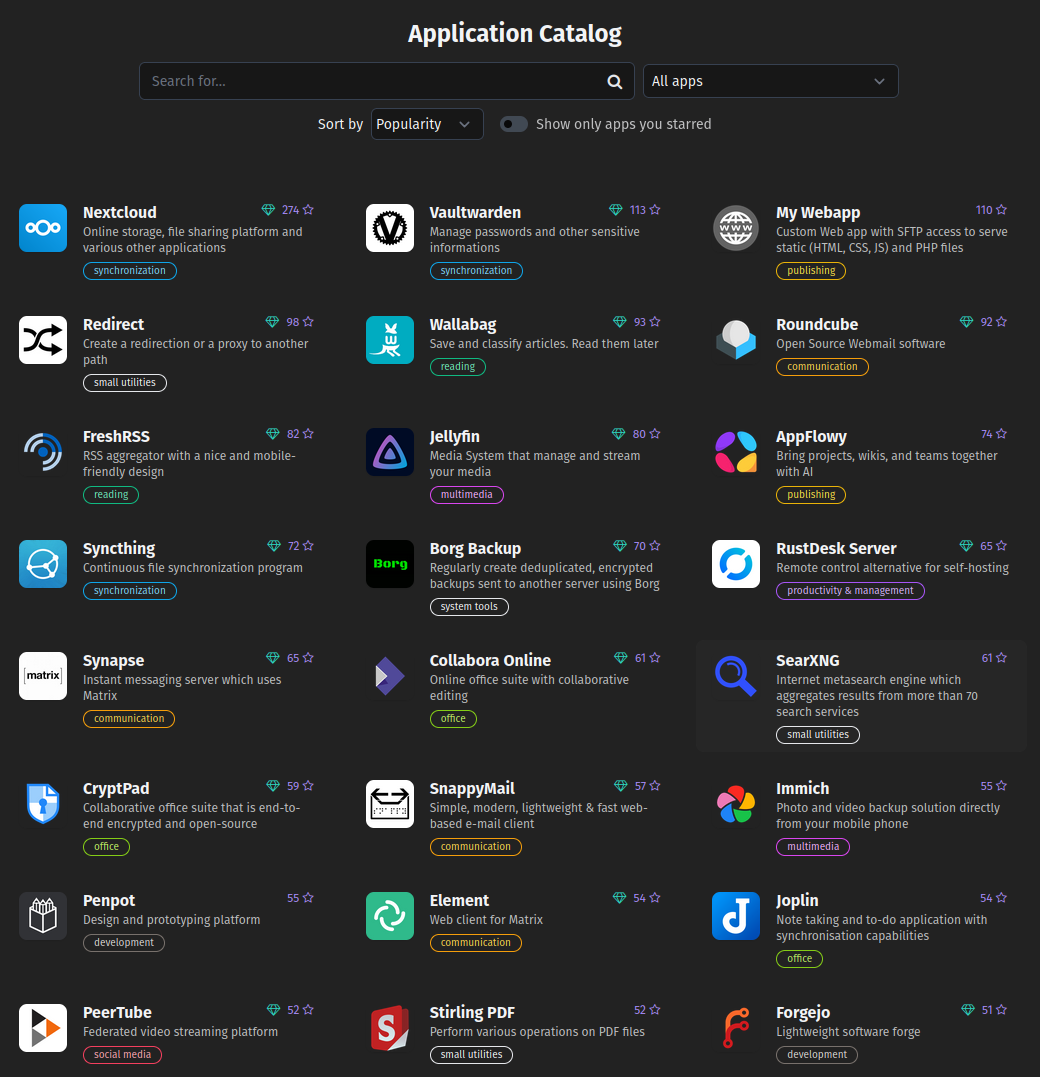
Special requirements: They wanted to self-host for data privacy, but luckily, they already had a Yunohost installation. Yunohost is a very handy tool that you can install on a clean server with one command, and it will manage many things for you: one-click app installation and updates, networking, domains, mail server, user permissions, and so on. Most of the tools discussed in this article are available on Yunohost. LWC also wanted a custom logic to track interactions with the workers and rank them by their likelihood to become volunteers.
Stack and architeture: Nocodb for data, n8n for automation, yunohost for maintenance. I've developed a few tables (Contact, Interaction, Operator) and developed different use cases for when they engage with workers during phone-banking, at events, 1-on-1s, and so on. On top of that, we created automations to produce and assign batches of contacts to specific operators for phone banking. We also developed public forms to be linked through a QR code, so workers could add themselves to the CRM at public events without the need for operators.
Result: They won the election, and they are still using the tool for their current activities.
What I would have done differently: Nocodb was less mature than I thought it was. We picked it because it is readily available on Yunohost, but in hindsight, among self-hostable tools, Baserow or Grist are much better options overall.

One Person Spam Cannon
Problem: Circulating agitprop in several online communities and social media is a lot of unnecessary manual work. Ideally, in a few clicks, I should be able to circulate an article on many channels without it being perceived a spam. In this specific case, I wanted to target tech workers at different levels of radicalization, from mild to super-spicy, and by their willingness to engage with complex content.
Special requirements: support for niche platforms such as federated platforms, and a lot of control on the logic for posting content
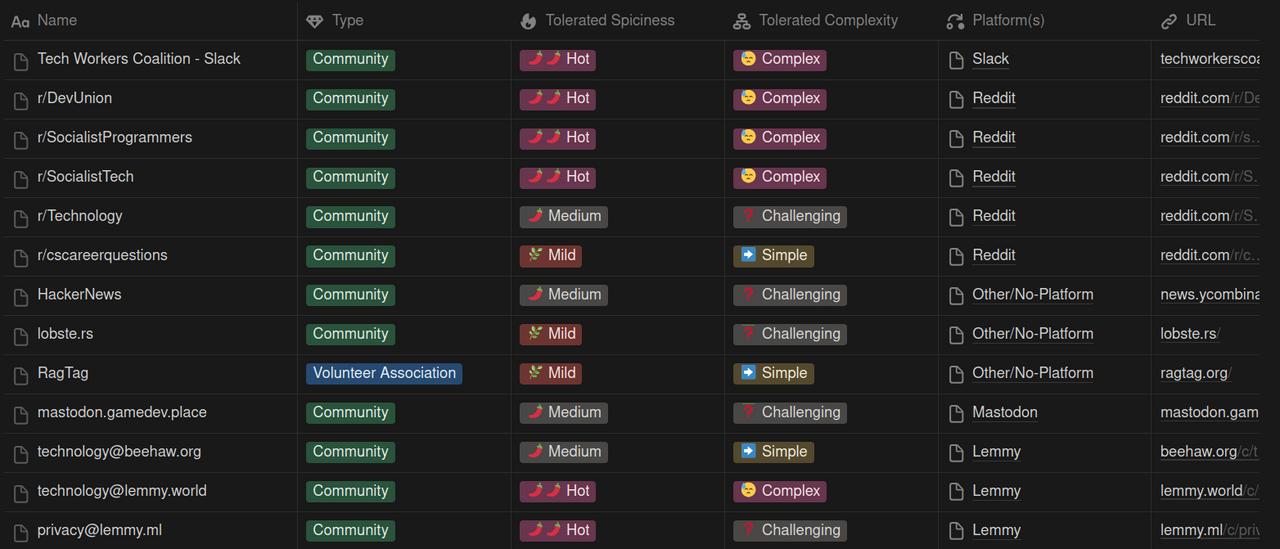
Stack and architecture: notion+n8n+ “Save To Notion” browser extension. Through the extension, a link, with its title, images, and preview, is saved to a “Content” database in Notion, together with manually added parameters such as spiciness and complexity. In another Notion database, called Communities, I saved details about each community, divided by platform, tolerated spiciness, and tolerated complexity. Once a row is saved in the “Content” database, an automation picks it up, decides on what communities to publish, and posts on each one of them, marking the content as “posted” once done.
The platforms supported are: Lemmy, Bluesky, Reddit, Mastodon, Slack, LinkedIn, and Telegram.
Result: I've been using this system for around a year now, with great results of engagement. I've never even once been accused of being a spammer or blocked from any community, mostly because, given the design of the system and my curation process, the content is always relevant and the volume is low.
I plan to eventually host a workshop to teach how to reproduce this setup. Reach out if you want to help.
What I would have done differently: SaveToNotion is very handy to save a page to a Notion database, but I think it is feasible to replace Notion with Grist or Baserow for full self-hosting, using Telegram or other chats as an interface for the system. Originally, I also envisioned this system as a collaborative effort, but it never really developed that way. In theory, there are no obstacles to including multiple curators for the Communities and Content databases, but in practice, I never managed to involve others.
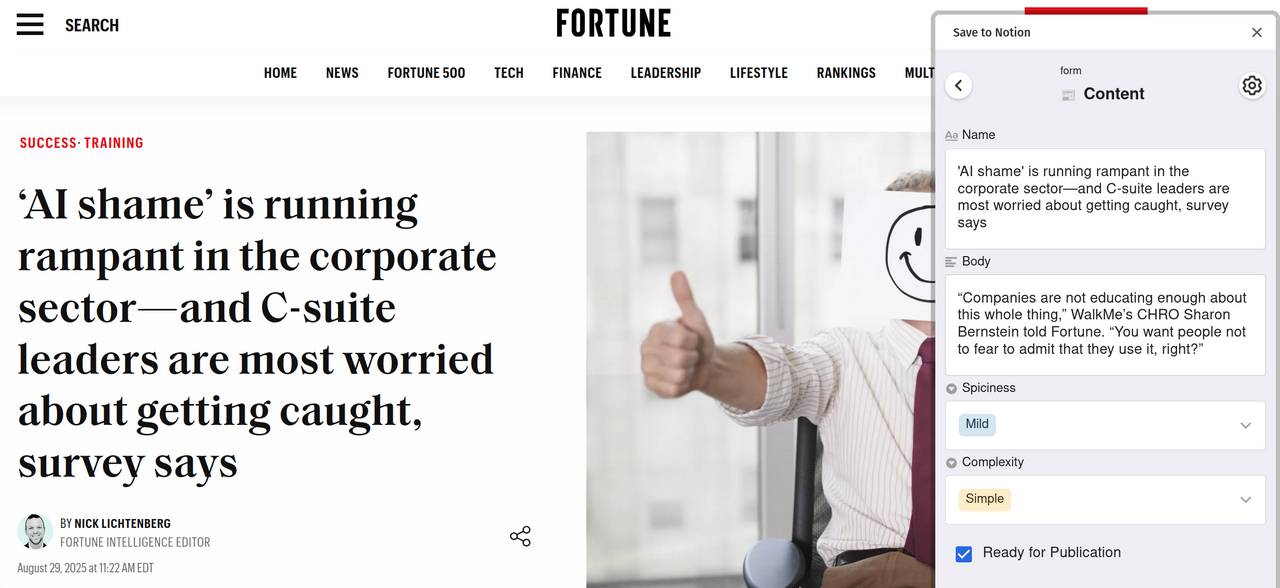
The previous examples are quite big systems that required several hours of work to get a first prototype up. Sometimes, the benefit of no-code systems can start from smaller stuff. There are a LOT of hyper-specific, yet simple use cases that go unaddressed by traditional software because adopting a dedicated tool would be more work than actually doing it manually. This is the substrate on which Excel files proliferate, for example. I call these: “Smol Systems”. Let's see an example.
Vetting System for a tech workers Slack – Tech Workers Coalition
Problem: vetting the applicants to join a private Slack, allowing only sympathetic workers and leaving out managers, predatory academics, and people generally unaligned with our values.
Special requirements: doing it without leaving Slack or using additional tools.
Stack and architecture: originally, the system was developed by somebody else using a webform, Zapier, and Slack itself. I recently had to reimplement it one-to-one using N8N instead of Zapier. The system is very simple. A form collecting personal information, company, email, and social media links is on our website. When a user compiles it, the system formats the message and forwards it to Slack, formatted in a way that by clicking on the email, you can directly send an invitation (Slack's feature). This way, the vetters just read a message, open a social media link, make a decision, and either invite the person or reject them. Using Slack's reactions, each message/application is marked as approved, rejected, duplicated, etc.
Result: the original version of the system has been in use for several years with great success, with very little onboarding for new vetters and fast processing of the waiting list.
What I would have done differently: The system works well as it is, but with Slack Enterprise, it would be possible to invite people through APIs, something that, at the moment, is not possible. That would enable us to reduce the number of clicks required to invite and mark an invitation as approved. On top of that, it would be interesting to use Slack's builder to have custom buttons to approve or reject. Would it be overengineering? Yes, but sometimes we can have a little overengineering as a treat.
To conclude the article, a little insight into what I'm working on at the moment.
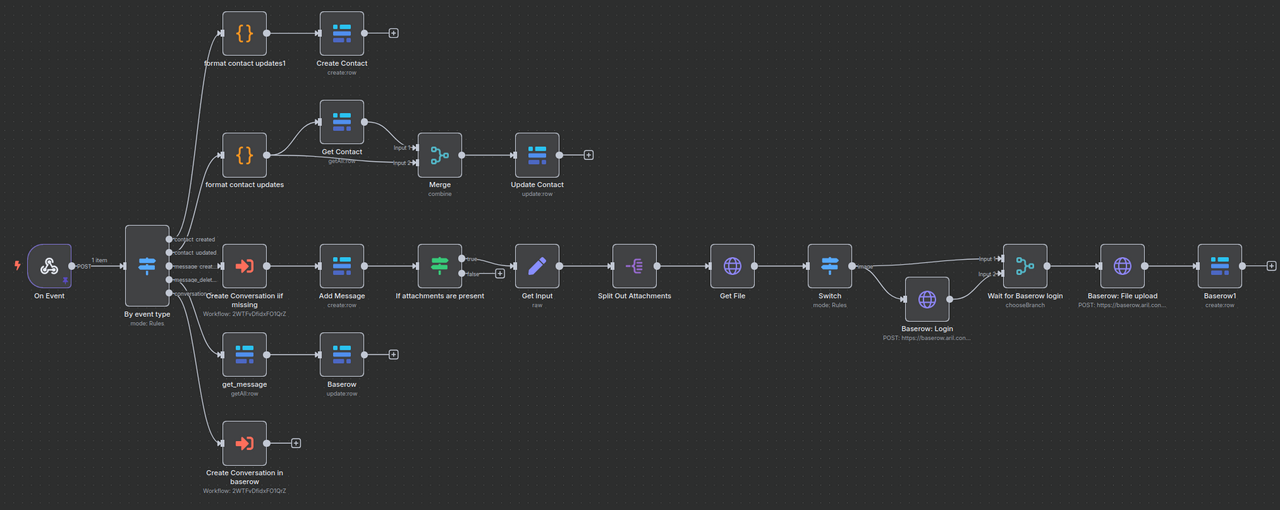
One system I'm working on supports hotline operations and an archive for an NGO documenting human rights violations against refugees. This is probably the most complex no-code project I've ever had to develop. The Hotline has been operating for many years, with a lot of manual processes. I'm now developing a system to support the operators in handling the conversations with the refugees, and, on the other side, to archive evidence for legal experts to build cases in the future. The stack consists of ChatWoot, a helpdesk tool to handle multi-channel conversations, Baserow for the archive, and our beloved N8n to transfer the data from ChatWoot to Baserow. The goal is to streamline the process of providing personal information and evidence, processing conversations, and archiving data privately and securely for long-term analysis.
A second system, currently WIP and approaching the testing phase, is a 1-on-1+CRM system for the network of local chapters within Tech Workers Coalition. The goal is to offer an out-of-the-box solution to newborn and existing local chapters of the organization to handle their 1-on-1s and similar interactions. Tracking contacts, scheduling calls, and keeping notes about individuals. The stack includes Grist and N8n. It's the first project I developed using Grist, a self-hostable “Spreadsheet meets databases” tool similar to Numbers. It is surprisingly powerful and flexible, even though the interface is not really friendly. Let's see how hard it will be for operators to adopt it. I chose Grist because of its really powerful Access Rules system, which is based on Python code: basically, the rules are not defined through a DSL or some rigid matrix scheme, but through executable Python functions.
I hope this braindump expanded the range of what you think is possible using no-code tools when used for political capacity building. If you end up developing any similar system, feel free to reach out to me at simone@robutti.me.